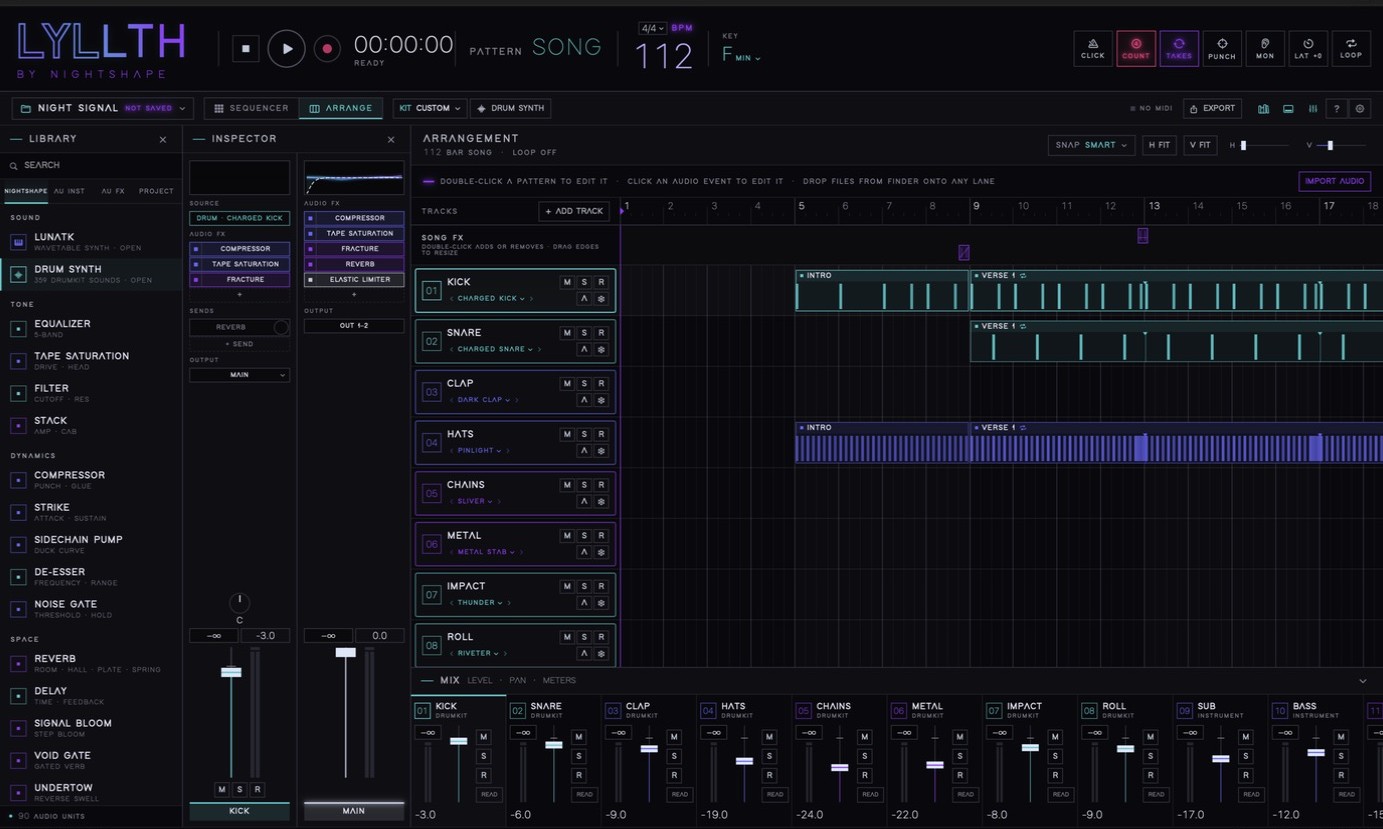
For producers who think in patterns and finish in the arrangement.
Sequencer, arranger, multitrack recorder, mixer and Audio Unit host in one native macOS window, with LUNATK, a 424-preset wavetable synth, built in. Open your DrumKit projects from iPhone and keep going.
One window from first beat to final bounce.
No account. Nothing uploaded.
[PLACEHOLDER: PRICE + LAUNCH OFFER, e.g. "Launch price $XX.XX"]
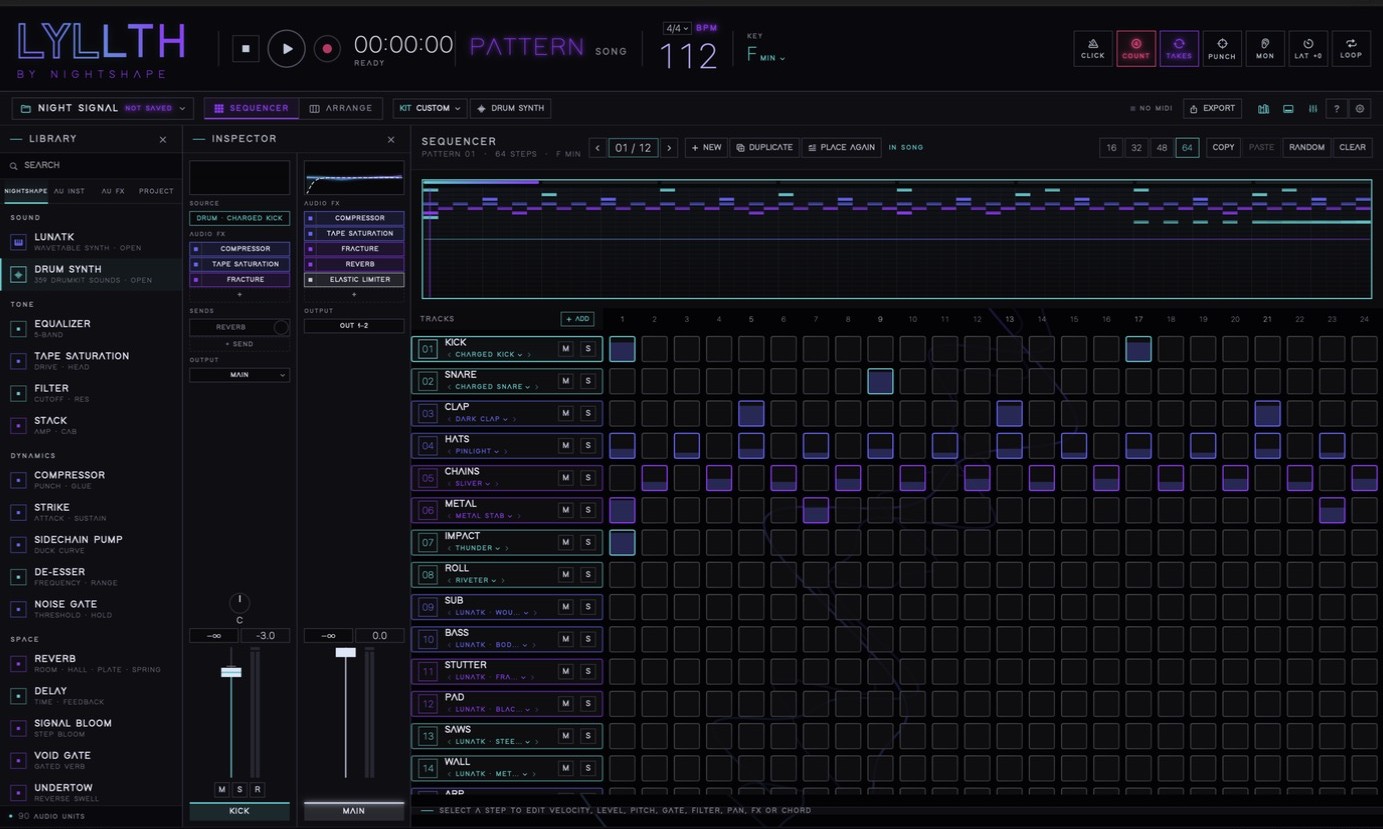
Build the groove in SEQUENCER, press PLACE IN SONG, and it lands in ARRANGE as a region. Duplicate it and it reuses the same pattern, so one edit updates every section.
A realtime wavetable synth with its own C++ engine. Every factory preset was rendered in a musical phrase against a reference arrangement and had to pass checks for loudness, headroom, low end, top end, width, mono fold-down, tails, tuning and CPU before it shipped.
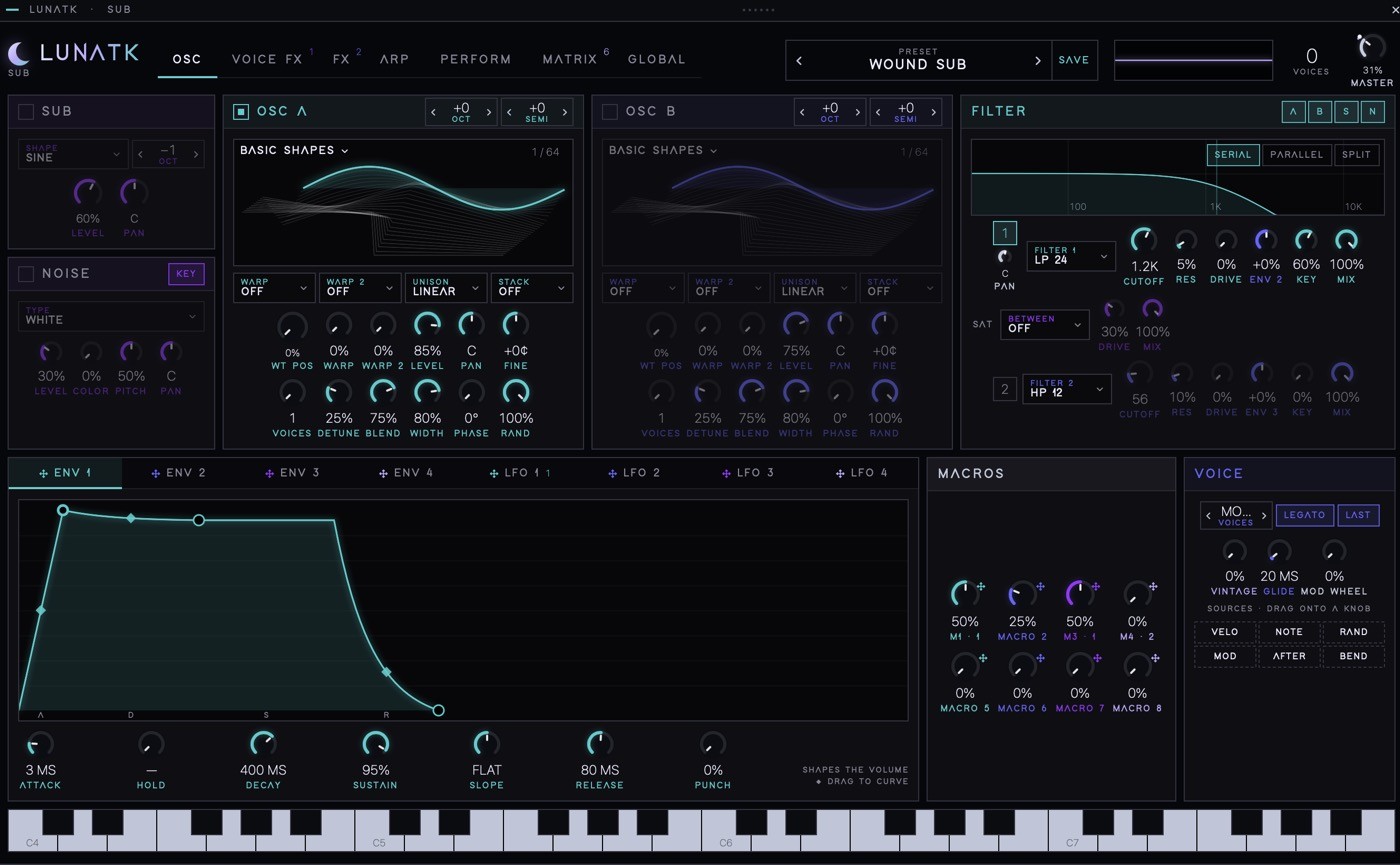
Band-limited wavetables with nine warp modes, plus sub and noise, dual filters in serial, parallel or split, four envelopes, four tempo-syncable drawable LFOs and a 16-slot modulation matrix you wire up by dragging. Play it polyphonic with 16 voices, or mono with legato and glide.
TONE, MOTION, SPACE and GRIT behave the same way on all 424 sounds, so you learn the controls once.
Import wavetables from files or any audio, then reshape them harmonic by harmonic. Custom tables are saved inside the song.
The arpeggiator, performers and song-synced LFOs follow LYLLTH's transport, so a phrase lands on the same bar every time.
16 voices × 2 oscillators × 16-voice unison rendered two seconds of audio in about 0.18 seconds in our internal test harness.
Arm tracks, pick inputs and capture several sources at once, aligned from the same transport position. Punch in, loop-record takes, then comp the best phrases into one performance.
Pre-roll, punch-to-loop, a new take on every loop pass, take selection and comp segments. Measured or manual latency correction keeps recordings on the grid.
SIREN shows every note it hears, with the scoops and wobbles drawn in. Drag a note by semitones or cents, set PITCH and DRIFT for a whole take, and it still sounds like the singer.
Pick the lead as a guide, set TIGHT, press ALIGN. Doubles, harmonies and gang vocals follow its timing, and can follow its pitch too.
MIDI recording keeps pitch bend, pressure, timbre, modulation and sustain, so an expressive take plays back the way you performed it.
The built-in processors are the same code DrumKit runs on iPhone, with the same windows and animation. Next to them, load your own Audio Unit instruments and effects.

Add effects from TONE, DYNAMICS, SPACE, MOTION, DESTRUCTION and OUTPUT, drag them to reorder, bypass to compare. DE-ESSER and NOISE GATE clean up vocals and live tracks.
Plug-in state saves with the project. Reported latency is compensated in playback and export. A plug-in that keeps failing is quarantined so it can't take down every session.
Draw breakpoints or ride the fader live in four write modes.
Buses and sends, output routing, mix groups and track folders keep a big arrangement readable.
Freeze a track for lighter playback and unfreeze to edit. Crossfade overlapping edits and consolidate a finished event into new audio.
LYLLTH opens NIGHTSHAPE DRUMKIT .fkit projects: patterns, songs, samples, custom drum sounds, effects, mix, key, meter and swing. Save it back as a .fkit and keep working on the phone.
A .lyllth file is a self-contained package with the song, its audio, checksums and a recovery copy. An edit journal lives outside the project, and if LYLLTH finds a newer recoverable state after an interruption, it offers it before you carry on. Imported audio is copied into the project so renaming the original never breaks the song.
Master to WAV 24-bit, WAV 32-bit float or M4A. Export stems as a ZIP where every file starts at bar one, with a README. Export MIDI with a General MIDI drum map, or a .fkit for DrumKit. Set a loop brace to export just that range.
[PLACEHOLDER: producer quote][NAME · ROLE / CREDIT]
[PLACEHOLDER: producer quote][NAME · ROLE / CREDIT]
[PLACEHOLDER: producer quote][NAME · ROLE / CREDIT]
.lyllth package with checksums and recovery copy.fkitThird-party plug-in hosting is Audio Unit only. VST3 plug-ins are not currently hosted.
[PLACEHOLDER: one-time purchase / subscription / trial terms]
.fkit open and saveYour .fkit projects open in LYLLTH. Keep your patterns, sounds and effects, and take them further on the Mac.
[PLACEHOLDER: release date / "Coming soon" / beta sign-up details]
[PLACEHOLDER: whether LUNATK AU / VST3 ships separately, and its price]
Yes. LYLLTH is a native macOS app for macOS 14 or later. On iPhone, the same projects open in NIGHTSHAPE DRUMKIT.
Yes, Audio Unit instruments and effects. LYLLTH saves their state with the project and compensates for their reported latency. VST3 plug-ins are not currently hosted.
No. There is no sign-in, and the app contains no analytics or advertising. Your projects stay on your Mac unless you export them. See the privacy policy.
Yes. Arm several tracks with different inputs to record them together, punch in, loop-record takes and comp them. SIREN handles tuning and ALIGN tightens doubles.
DrumKit is the drum studio for iPhone. LYLLTH is the full workstation on Mac: audio recording, the LUNATK synth, Audio Units, automation and a larger mixer, all around the same patterns and sounds.
Yes. Stems export as a ZIP of files that all start at bar one, so they line up when dropped into any DAW. MIDI export is also included.
[PLACEHOLDER: release timing and where to buy]
Press Command-? in LYLLTH for the searchable built-in guide, or email kityarber@gmail.com.
Patterns, LUNATK, recording, mixing and delivery in one native Mac window.